.png)
Dashboard
Dashboard aims to give you a simple grasp over your team availability and project progress.
Team dashboard
The team dashboard aims to give you an overview of your teams' capacities. Calculated based on the estimated time, it allows you to assess the booked time amount of different teams and see all people not working, including scheduled time offs and public holidays.
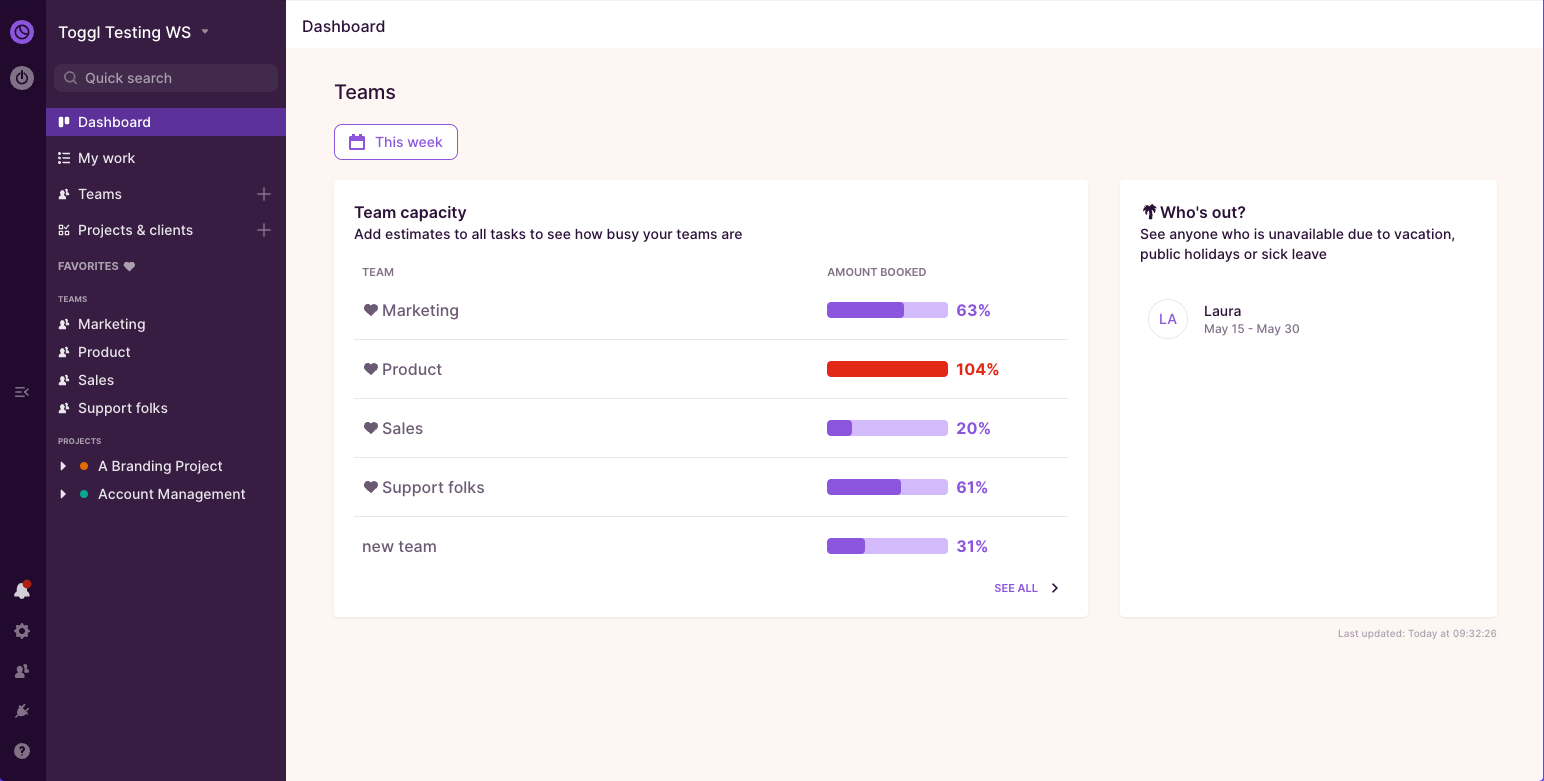
- • Filter timeframe from above. By default, the timeframe is set to “This week”.
- • Favorited teams are displayed first on the list in alphabetical order. If there are no favourites, all teams appear in alphabetical order.
- • Who’s out is listed in the order of the start of their leave.
- • You can get an overview of all people who are on vacation and all teams by clicking on “See all” at the bottom of the lists.
Project Dashboard
The project dashboard features two lists that help you understand how your projects are progressing: Estimates vs Actuals and Task Progress.
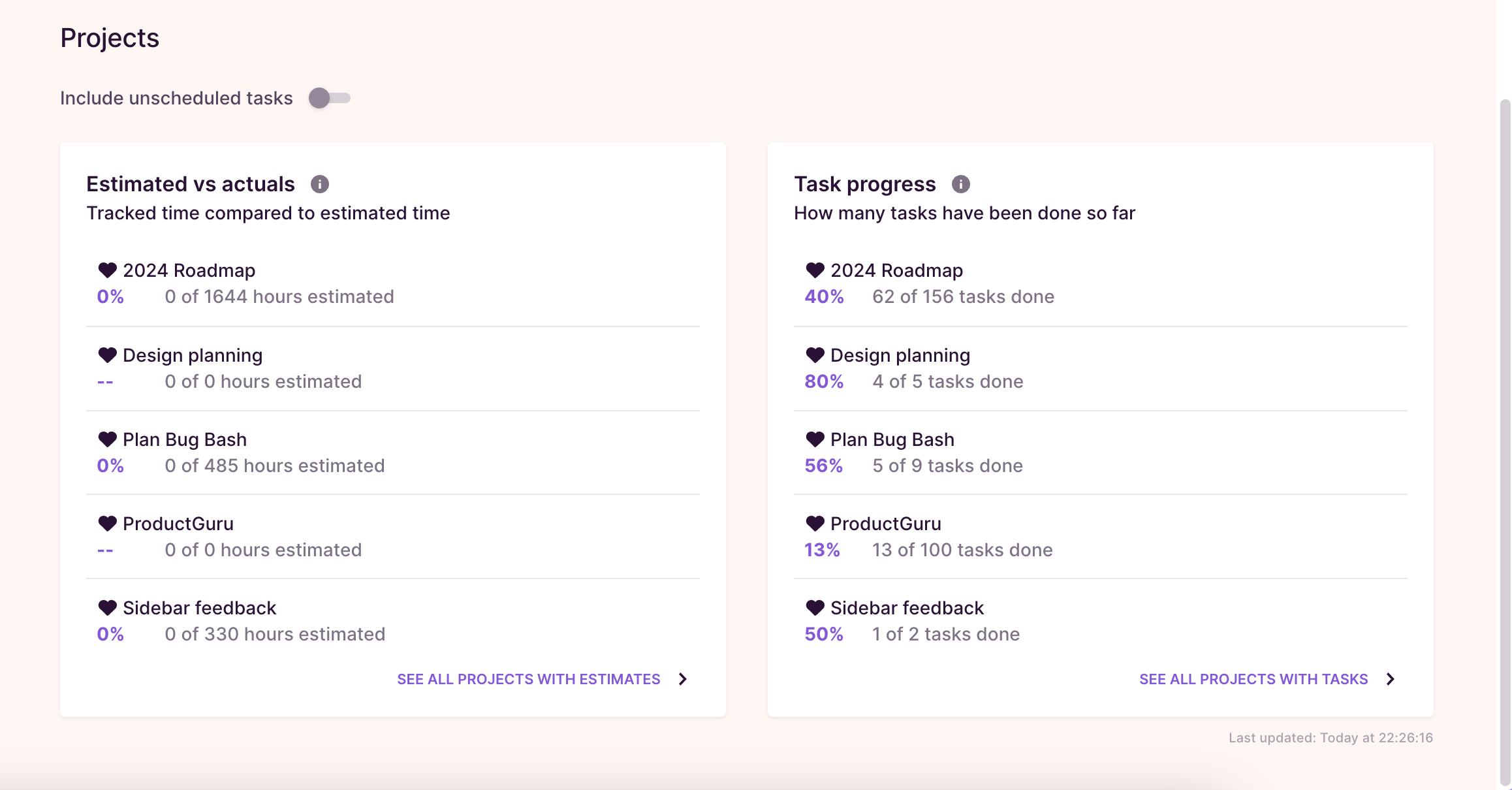
To use Estimated vs Actuals, your team needs to track time using Toggl Track. To ensure people track time on the right projects and tasks, you need to set up the integration.
Task progress looks into the ratio between all tasks under the projects and tasks marked done. This is a useful tool to understand the overall progress of the tasks.